

Back to Page
Shopify
How to use Shopify
What is Shopify?
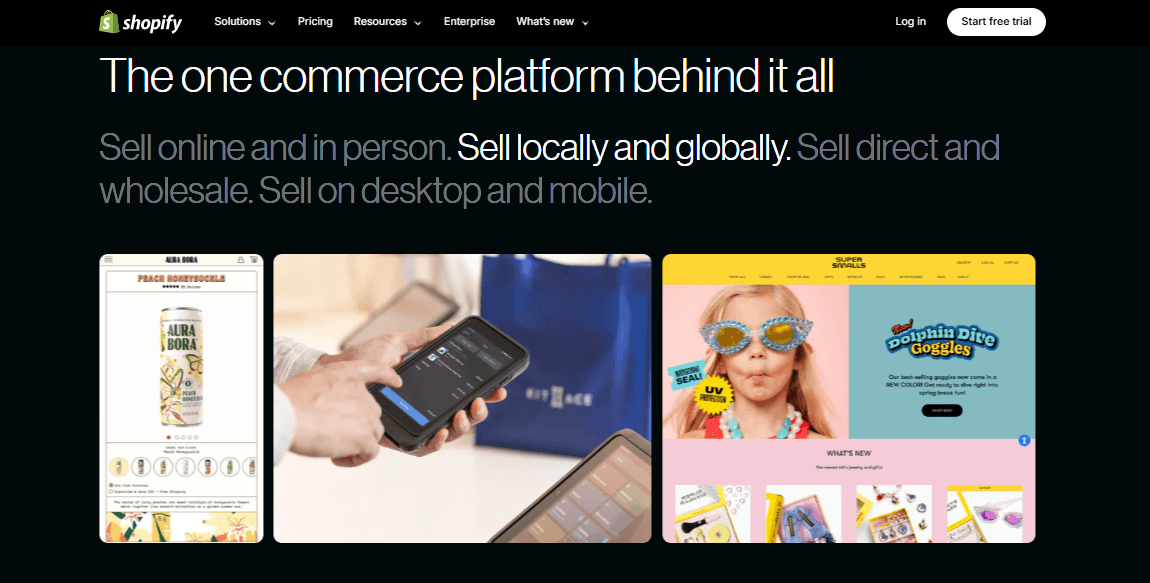
Shopify is a simple platform that helps businesses create an online store, sell products, accept payments, and market their brand. It offers easy-to-use tools like customisable themes and built-in marketing features.
For Amazon sellers, Shopify is a great way to expand beyond Amazon, build a loyal customer base, and take full control over pricing and branding. With Shopify’s integrations, you can sync inventory across platforms and reach more customers easily.
You can hire Shopify theme developers who can engineer your store for your magical performance.
Who can use Shopify?
Amazon sellers want to sell directly to customers and grow their brand.
Entrepreneurs starting an online business from scratch.
Retail store owners are moving their business online.
Dropshippers are looking for an easy-to-manage platform.
Creators and influencers are selling their own products.
Wholesalers want to reach a larger audience.
Small business owners want more control over their sales and marketing.
Shopify’s key features
Easy store setup: No coding needed; create your store in minutes.
Customisable themes: Choose from free and paid themes to match your brand.
Product management: Add, edit, and organise products easily.
Secure payments: Accept credit cards, PayPal, Apple Pay, and more.
Shipping & fulfilment: Set shipping rates, print labels, and use Shopify Fulfilment Network.
Multi-channel selling: Sell on Amazon, eBay, Facebook, Instagram, and TikTok.
SEO & marketing tools: Get built-in tools for SEO, email marketing, and social media.
Shopify app store: Add extra features like reviews, automation, and analytics.
Order & inventory management: Track orders, manage stock, and automate fulfilment.
24/7 customer support: Get help anytime via chat, email, or phone.
Getting started with Shopify
Step 1: Sign up for Shopify
Visit Shopify.com and click Start Free Trial.
Enter your email, password, and store name (you can change this later).
Follow the prompts to create your account.
During your free trial, you can explore the platform, add products, and test the features before committing to a paid plan.
Step 2: Set up your Shopify store
Explore the dashboard: After signing up, you’ll be taken to the Shopify dashboard. This is your central hub for managing orders, products, customers, and more.
Enter store details: Go to settings and fill in store details such as address, store name, and contact information.
Set up general preferences: Configure store currency, time zone, and any necessary policies (like refund or shipping policies).
Step 3: Customising your Shopify store
Selecting a theme
Free themes: Start with one of Shopify’s free themes if you’re new or on a tight budget.
Paid themes: If you want a unique look, consider a paid theme from the Shopify Theme Store or a third-party provider.
Customising design
Add your logo: Upload your store’s logo for a professional touch.
Adjust colours and fonts: Match your brand’s style by tweaking the colours and typography.
Organise the homepage: Highlight featured products, display a hero image, or create a promotional banner. Shopify design and development is the main part of your Shopify store, so make it more appealing with creative designs.
Adding essential pages
About us page: Share your brand’s story, mission, and values.
Contact page: Include a form, email address, and phone number.
Policies: Create pages for your refund policy, privacy policy, and shipping terms.
Step 4: Adding products to your store
Creating a product listing
Title: Write a clear, concise product title.
Description: Highlight key features, benefits, and unique selling points.
Images: Upload high-quality photos from multiple angles.
Pricing: Set your price and compare-at price if offering discounts.
Managing inventory and stock levels
Track stock levels and set alerts for low inventory.
Use Shopify’s inventory management tools to ensure you never run out of popular items.
Organising products into categories and collections
Collections: Group products into categories like “New Arrivals” or “Best Sellers.”
Tags: Use tags to make searching and sorting products easier.
Step 5: Setting up payments
Enabling Shopify payments
Accept credit cards and digital wallets (Apple Pay, Google Pay).
No extra transaction fees with Shopify payments.
Using third-party payment gateways
Add options like PayPal, Stripe, or Afterpay to offer customers more ways to pay.
Setting up multi-currency options
Sell internationally by enabling multi-currency payments and showing prices in customers’ local currencies.
Step 6: Configuring shipping and fulfilment
Setting up shipping zones and rates
Define where you ship and how much you charge.
Offer free shipping, flat rates, or carrier-calculated rates.
Using the Shopify fulfilment network
Automate shipping by storing inventory in Shopify’s fulfilment centres.
Shopify handles picking, packing, and shipping orders for customers.
Dropshipping options
Integrate with apps like Oberlo and Spocket.
Start selling without holding any inventory.
Step 7: Managing orders and customers
Tracking orders: Monitor every step of the order from the moment it’s placed until it reaches the customer. This ensures you know where each order is in the process and can quickly address any delays.
Handling inquiries: Respond promptly to customer questions about products, order status, and store policies. A quick and friendly response builds trust and loyalty.
Shipping updates: Keep customers informed with automated notifications when their order is shipped, including tracking details.
Step 8: Promoting and marketing your Shopify store
A successful Shopify store relies on effective promotion and marketing. Start with SEO services by optimising your website’s content, product descriptions, and images so that search engines can easily find and rank your pages.
This helps attract more potential customers. In addition, running paid ads on platforms such as Google, Facebook, and Instagram allows you to target specific audiences, boost your brand’s visibility, and drive more traffic to your store.
Email marketing is another powerful tool; sending newsletters, special offers, and follow-up emails helps maintain customer interest and encourages repeat business.
Tracking performance and growing your business: Understanding how your store performs is essential for growth. Shopify Analytics provides clear insights into customer behaviour, sales trends, and overall website performance. By reviewing these reports regularly, you can pinpoint what marketing strategies work best and adjust your approach accordingly.
Common mistakes to avoid
Poor product descriptions and images
Ignoring SEO and mobile optimisation
Not setting up abandoned cart recovery
Overcomplicating the checkout process
Inadequate customer support
Unclear return and refund policies
Not monitoring website analytics
Neglecting social media engagement
Underestimating website speed
Poor inventory management
Final thoughts
Shopify is an incredible platform that offers Amazon sellers the chance to build a powerful and independent online store. By moving beyond Amazon's fees and tight control, Shopify gives you full control over pricing, customer data, and branding.
Shopify’s built-in tools for SEO, marketing, and analytics help you attract customers, optimise your store’s performance, and improve your sales strategies.
However, managing both Amazon and Shopify can be challenging. Our experienced team of Amazon consultants helps you to optimise your selling strategies across both platforms.


