

Back to Page
Amazon Australia
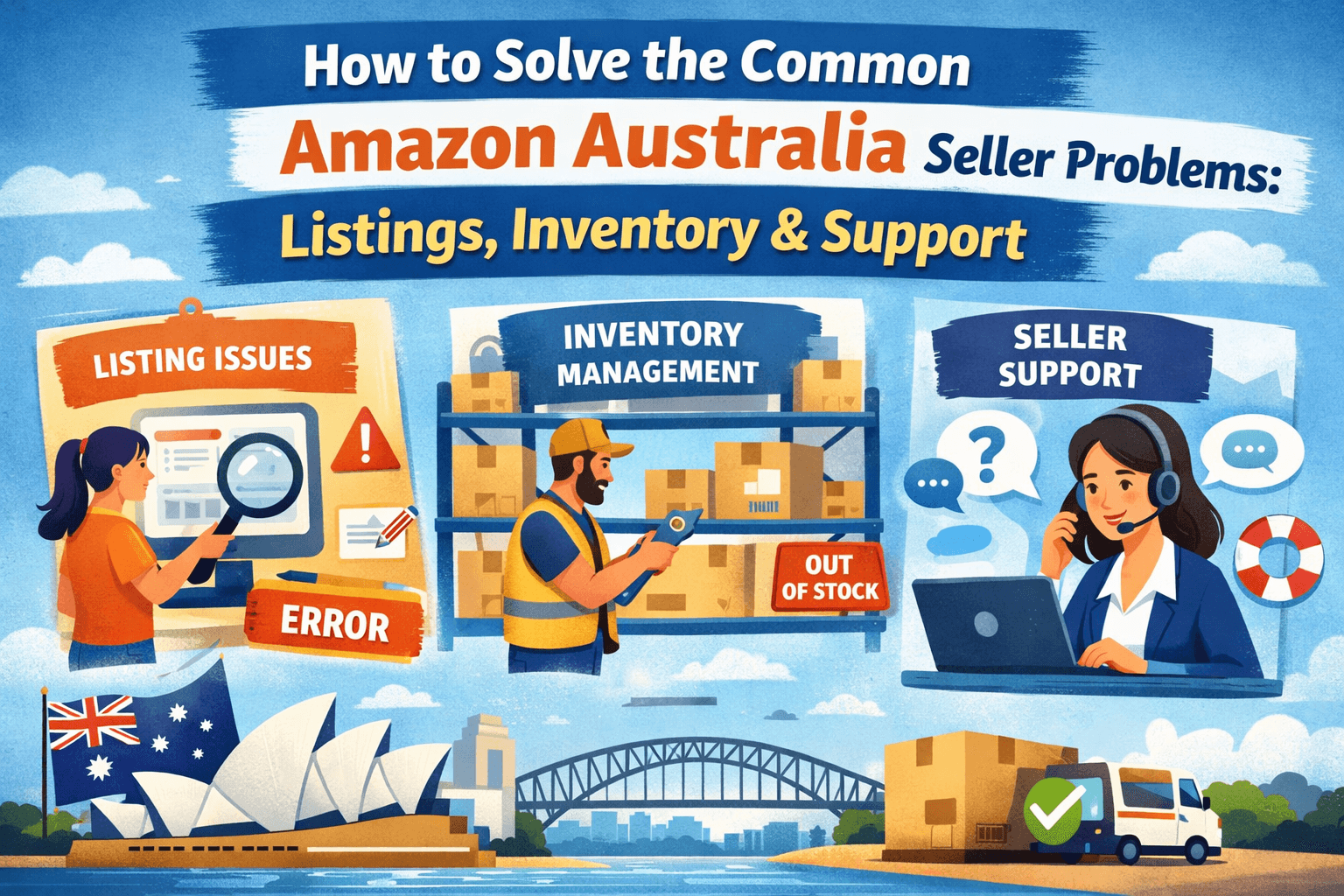
How to solve the common Amazon Australia seller problems: Listings, inventory & support
How to solve the common Amazon Australia seller problems: Listings, inventory & support
How to solve the common Amazon Australia seller problems: Listings, inventory & support
TL;DR
Over 60% of Amazon AU sellers face lost sales due to listing issues, inventory errors, and slow support—but most of these problems are fixable with the right approach.
Common listing problems include suppressed listings, incorrect categories, locked content, duplicate ASINs, and variation issues—all solvable through flat files, Brand Registry, or targeted support cases.
Inventory challenges like stranded stock, overstocking, delayed restocking, and poor FBA syncing require proactive dashboards, buffer planning, and possibly 3PL support.
Seller support in Australia is slower and less responsive than in the US/UK—use clear case communication, escalation requests, and always document your interactions.
Account health issues and policy enforcement can be vague—prepare structured Plans of Action and challenge unfair listings with evidence and persistence.
Use pro tips such as flat file uploads, weekly account checks, and centralized inventory tools to stay efficient, avoid delays, and protect your margins.
Over 60% of Amazon Australia sellers lose sales to listing errors, inventory mishaps, and slow support—don’t let it be your store next. Whether it's listings not showing up, inventory going out of sync, or feeling like seller support is missing in action—these problems can derail even the most experienced sellers.
Selling on Amazon Australia comes with its own set of unique challenges. The platform is still growing, the support can feel limited, and small errors in your backend setup can lead to big headaches in your day-to-day operations.
In this blog, we’re tackling the most common issues Aussie sellers face, such as listing glitches, inventory mismanagement, and slow or unclear support—and showing you exactly how to fix them. Whether you're launching your first product or managing dozens of SKUs, these solutions will help you stay ahead, stay in control, and stay profitable.
Common listing problems and how to fix them

Selling on Amazon Australia can feel like flying a plane while building it. While the marketplace is growing and full of opportunity, it also comes with bugs, slower support, and often confusing backend processes. Here are six key Amazon Australia seller problems and listing issues, and exactly how to solve them.
1. Listings not showing up in search results
The problem:
You’ve created your product listing, it’s active, and even indexed. But when you type in the exact product title on Amazon.com.au, it doesn’t appear in search results—or it's buried deep.
Why does it happen?
Amazon Australia’s algorithm often takes longer to index new listings compared to bigger marketplaces. Sometimes, backend keyword fields or listing completeness may affect visibility.
How to fix it:
First, confirm if your ASIN is indexed by doing a search using [your ASIN] in the Amazon search bar.
If it doesn’t appear, check if the listing is suppressed (Go to Inventory > Manage All Inventory > Suppressed Listings).
Add high-relevance keywords in your title, bullet points, and backend fields.
If still unresolved, file a “product not appearing in search” support case. Attach screenshots and a brief explanation to speed things up.
2. Incorrect category
The problem:
Your organic skincare product is showing under “Industrial Tools” or your dog toy is nowhere to be found under “Pet Supplies.”
Why does it happen?
Amazon’s auto-categorisation often misplaces items in AU due to smaller local data sets and less category refinement.
How to fix it:
Use Amazon’s Product Classifier Tool to choose the most accurate category.
Submit a support case with the correct browse node ID (found in flat file templates or classification guides).
If you’re brand registered, open the case via Brand Registry for faster resolution.
Always double-check category assignments when uploading via flat file.
3. Can’t edit title, bullets, or images
The problem:
You created the listing—but now you can’t update anything. Amazon has “locked” the content and ignores your edits, making it tough to fix Amazon listing AU issues without extra steps.
Why does it happen?
Another seller may have contributed to the listing, or Amazon may have auto-locked it after content was reviewed. This is common in Australia, where multiple sellers unknowingly duplicate ASINs.
How to fix it:
Open a case under “Fix a product page” > “Details are incorrect.”
Upload a flat file with your correct content and state you’re the brand owner (if applicable).
Attach real-world proof (product label photos, packaging, website link) to justify changes.
If you're brand registered, use the Brand Registry interface for direct edits.
4. Image rejections (even when they seem fine)
The problem:
You upload a clear, high-quality product photo, and Amazon removes it for "non-compliance."
Why does it happen?
Australia’s platform sometimes applies outdated or overly strict image filters. Something as small as a slightly off-white background can cause issues.
How to fix it:
Ensure your main image has a pure white background (RGB 255,255,255).
Remove any watermarks, logos, or borders.
Use JPG or PNG format, 1000+ pixels on the longest side.
If rejected again, submit the image via support with a message: “Image meets Amazon AU guidelines. Please review manually.” Here, you can choose an e-commerce product photography service that creates images following Amazon’s guidelines and format.
5. Duplicate listings for the same product
The problem:
Your product exists under two or more ASINs—with different titles, prices, and images. It’s confusing customers and splitting traffic.
Why does it happen?
In smaller marketplaces like Australia, sellers often accidentally create duplicate listings for the same product due to limited catalogue data.
How to fix it:
File a “Merge Duplicate Listings” request in Seller Central.
Identify the ASIN with the most reviews/content as the primary.
Include screenshots and a brief explanation.
Amazon typically merges listings within 3–5 business days, depending on the category.
6. Product separate listing issues
The problem:
Your product has size or color variations, but they appear as separate listings instead of one.
Why does it happen?
Incorrect variation theme or improper parent-child linking in the flat file. Variation structure is particularly sensitive in Amazon AU due to limited automated tools.
How to fix it:
Download the appropriate category-specific flat file template.
Ensure all SKUs are linked to the same parent ASIN and variation theme (e.g., Size, Color, Scent).
Re-upload via “Add Products via Upload” in Seller Central.
If still not working, contact support and attach your flat file to explain the relationship.
Common inventory management issues and how to fix
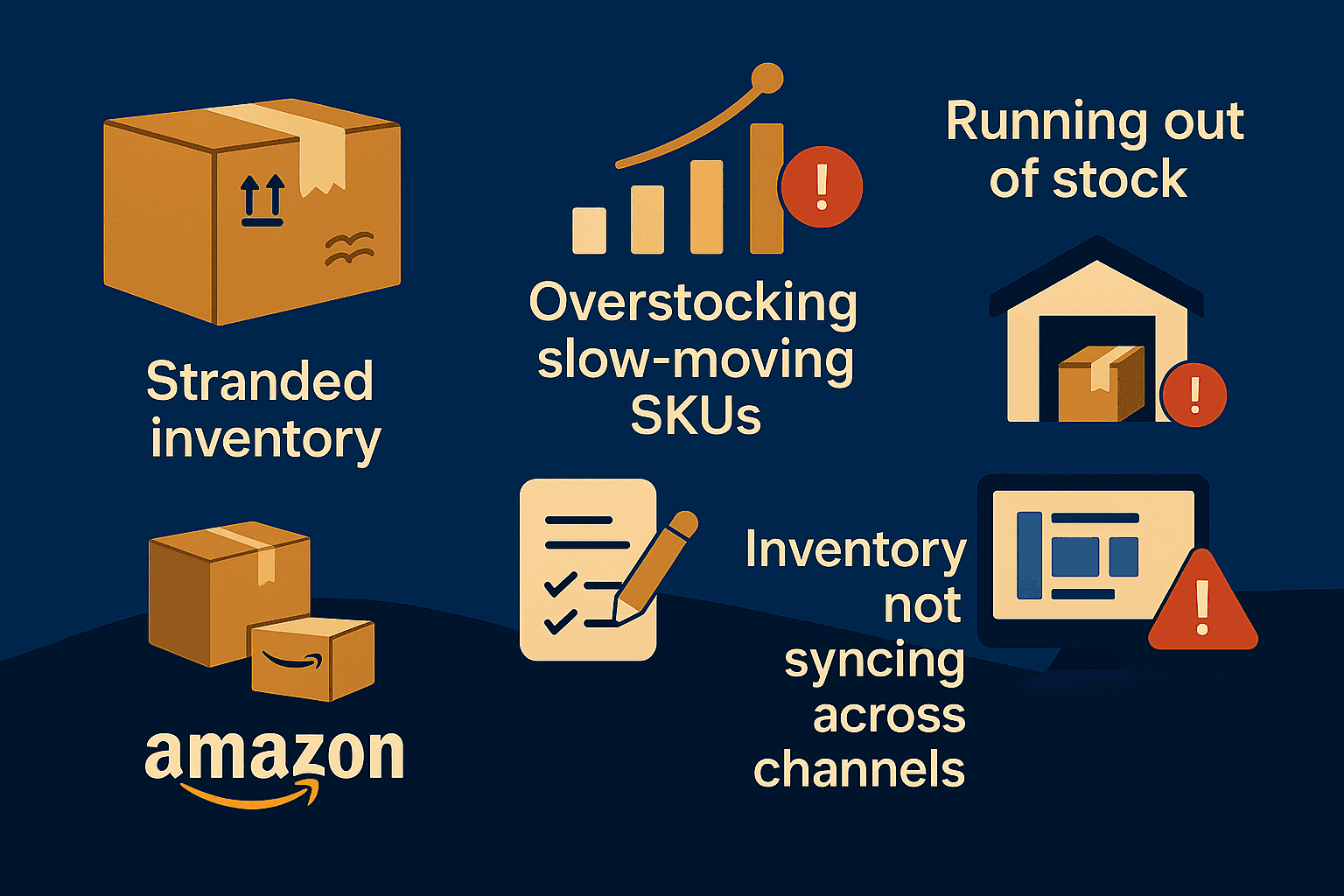
Managing inventory on Amazon Australia might sound straightforward—send products to FBA, sit back, and watch them sell. But Amazon inventory management in AU isn't always that simple. It involves planning, tracking, and making smart decisions to keep stock flowing and avoid costly mistakes.
But in reality, it’s one of the most complex (and risky) aspects of running a successful Amazon business. Below are six of the most common issues that sellers face—along with practical, Australia-specific solutions.
1. Stranded inventory
Why does it happen?
Stranded inventory is stock sitting in Amazon’s warehouse that isn’t connected to an active listing. This typically occurs when a listing gets suppressed, removed, or fails to meet Amazon’s compliance requirements—like missing GTINs, expired ASINs, or policy violations.
How to fix it:
Check your “Fix Stranded Inventory” dashboard regularly in Seller Central.
Amazon highlights what went wrong—whether it’s pricing errors, listing issues, or category misplacement.
Maintain updated product data to reduce future risk.
2. Overstocking slow-moving SKUs
Why does it happen?
Sellers often overestimate demand for a product, especially during launches or seasonal spikes. It can also result from bundling promotions or misjudging competitor activity. In Amazon Australia’s relatively smaller market, overstocking leads to higher storage fees and capital lock-in.
How to fix it:
Use data from the Inventory Performance Dashboard to identify low-velocity products.
Adjust reorder thresholds and turn to deals or Amazon coupons to clear stagnant SKUs.
For long-term fixes, switch to an agile restocking model and monitor real-time sales velocity.
3. Running out of stock on bestsellers
Why does it happen?
The opposite of overstocking—suddenly selling out of fast-moving items can damage your listing rank and delay momentum. This often occurs when sellers underestimate local sales demand or fail to account for customs delays from international suppliers.
How to fix it:
Always build a buffer stock strategy.
If you're sourcing from overseas, plan 90 days and factor in shipping lead times.
Use tools like Restock Inventory Report and third-party forecasting apps to anticipate demand during peak events like EOFY, Black Friday, or Boxing Day.
4. Delayed restocking due to international shipping
Why does it happen?
Most Amazon Australia sellers still rely on overseas suppliers (mostly from China or Southeast Asia), which involves lengthy lead times, port delays, and customs clearance challenges. This can disrupt your supply chain significantly.
How to fix it:
Split your inventory strategy—send bulk shipments to a local 3PL and drip-feed to Amazon FBA.
Maintain good communication with freight forwarders and get updates on port congestion or changes in customs regulations.
Use DDP (Delivered Duty Paid) shipping terms wherever possible for smoother delivery.
5. Mismanaged FBA removals and returns
Why does it happen?
Inventory that's returned or marked unsellable can quietly pile up and incur long-term storage fees. Many sellers ignore this until they’re charged hefty fees or notice it’s impacting their IPI score.
How to fix it:
Download return and removal reports monthly.
Check for items marked as “unsellable” and create removal orders in bulk.
Automate this process using removal rules in FBA settings—especially for products with short shelf life or low repurchase potential.
6. Inventory not syncing across channels
Why does it happen?
If you’re selling on Amazon, eBay, and your own Shopify store, chances are you’ve run into inventory mismatches. Manual tracking creates overselling (leading to order cancellations) or underselling (lost revenue).
How to fix it:
Invest in a centralized inventory tool that integrates all channels in real-time.
This ensures you never sell what you don’t have and don’t hold back what you can sell.
Common Australian Seller support issues and how to fix
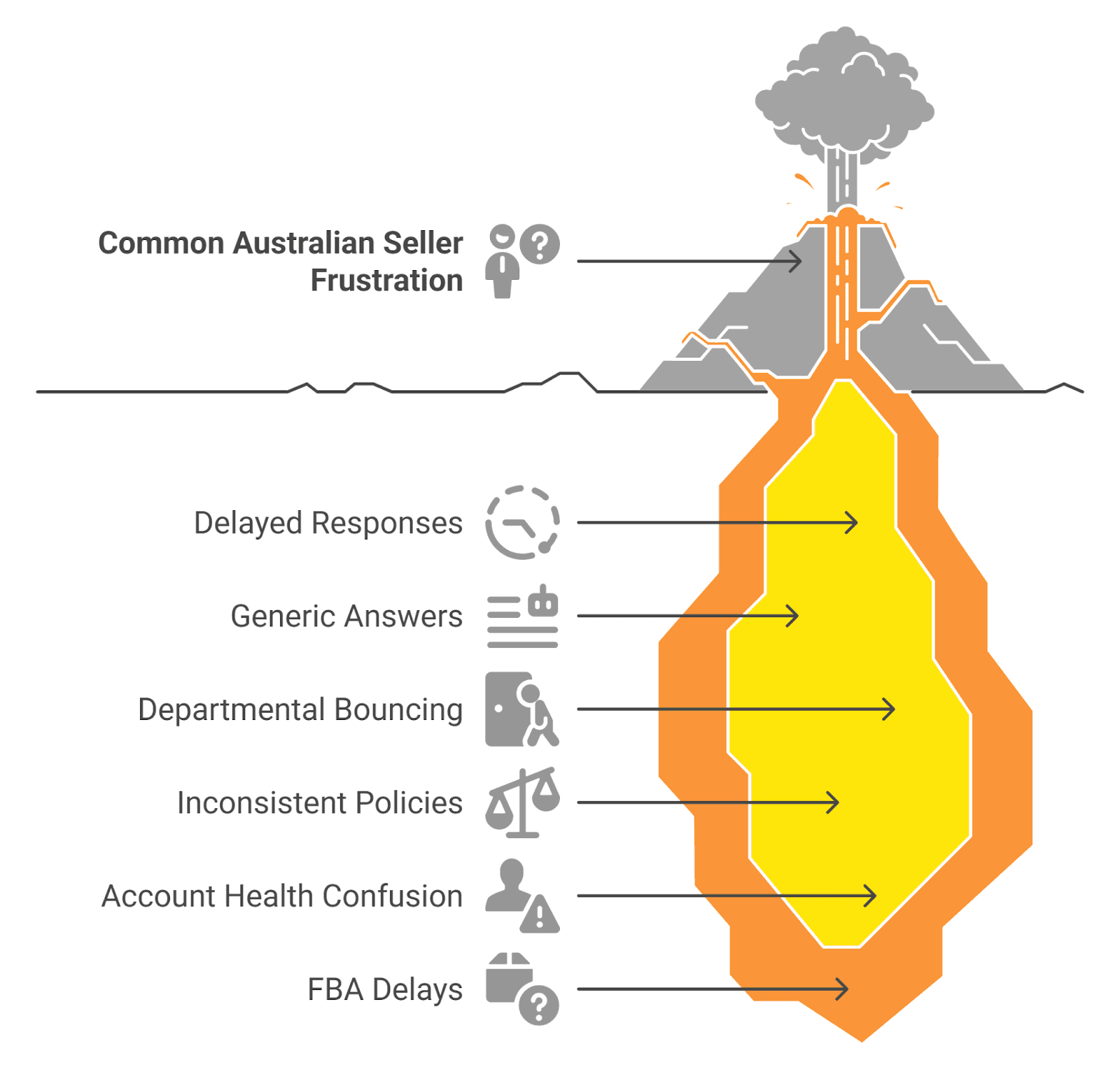
Selling on Amazon Australia comes with exciting growth opportunities, but when something goes wrong, getting help through Amazon seller support Australia can feel like hitting a wall. Unlike larger marketplaces like the US or UK, Amazon Australia’s support system can be slower, less responsive, and often frustrating to deal with.
Below are six of the most common Amazon Australia seller support issues and smart ways to fix each one.
1. Delayed responses from seller support
Many sellers find themselves waiting days—sometimes even a week—for a response, even for urgent matters. This delay can be costly, especially if your listing is down or your account is flagged.
How to fix it:
Choose the “Call Me Now” option whenever available—it typically gets faster resolution than email.
For performance or policy-related issues, raise the case from your performance notifications dashboard rather than the Help section.
If you're getting nowhere, politely ask to escalate your case: “Please route this to a senior associate familiar with this type of issue.”
2. Generic or irrelevant responses
A common complaint is getting the same copy-paste replies that don’t address the actual problem. It feels robotic—and worse, wastes valuable time.
How to fix it:
Write clear, specific messages. Include ASINs, dates, affected SKUs, screenshots, and the exact actions you've taken.
Use bullet points or numbered questions to guide the associate through your issue.
If the response doesn't help, reopen the case and reference the original ID so the next associate has context.
3. Being bounced between departments
Some issues seem to get stuck in an endless game of ping-pong—especially when it comes to FBA, catalog updates, or listing errors. You get passed between departments with no clear resolution.
How to fix it:
Choose the most accurate help topic when opening the case. Amazon routes cases based on your selection.
Add a line in your case message like: “Please do not redirect this case unless you are certain it belongs to another department. This issue is specifically related to [explain issue].”
4. Inconsistent enforcement of policies
You follow the rules, yet your listing gets removed—while your competitor with the same setup continues to sell without issues.
How to fix it:
Ask for support to clearly reference the specific policy violated.
Request the exact line item or phrase in your listing that triggered the removal.
If you're not violating any known policies, politely challenge the action and attach evidence. Keep all responses documented for potential escalation or appeal.
5. Difficulty understanding or resolving account health issues
Amazon may issue warnings or penalties without giving enough detail to resolve them. A vague message about “product authenticity” or “policy violations” can leave sellers in the dark, making Amazon AU account health challenging to manage without clear guidance.
How to fix it:
Create a clear, structured plan of action (POA) if requested. Address the root cause, immediate fix, and long-term prevention plan.
Keep it short and professional. Avoid emotional appeals.
If rejected, revise your POA based on the feedback and resubmit. Persistence often pays off here.
6. FBA-related delays and confusion in Australia
FBA in Australia is improving, but still has gaps. Delays in receiving inventory, listing stranded stock, or unclear return processes are common issues.
How to fix it:
Monitor your “Manage FBA Inventory” and “Inventory Event Detail” reports regularly.
For stranded inventory, click “Fix Listing” or raise a case with a screenshot of the issue.
For removal orders or restocking, make sure your return address is accurate, and your settings are current.
If you're growing rapidly, consider using a trusted local 3PL as a backup to Amazon’s fulfilment delays.
In the end, you can boost your online sales and streamline your store setup by working with Amazon consulting experts who understand the platform inside out.
Pro tips
Use flat files for bulk listing edits to avoid Amazon overwriting your content.
Check your “Account Health” and “Manage FBA Inventory” pages weekly.
Keep a log of common listing or inventory issues by SKU.
Save all case transcripts for future follow-ups or appeals.
Use clear, structured templates when raising support cases.
Join Aussie seller groups to learn quick fixes others are using.
Final thoughts
Selling on Amazon Australia is full of potential, but only if you stay ahead of the common challenges. From listings that disappear from search, to inventory that goes out of sync, to support that doesn’t always deliver answers, each issue can quietly eat into your sales and momentum. Every problem has a fix, and with the right systems in place, you can run a lean, profitable operation.
If handling all this feels overwhelming, consider partnering with an Amazon agency that understands the unique dynamics of the Australian marketplace. At eStore Factory, we help sellers like you streamline listings, optimize inventory, and navigate seller support—so you can focus on what really matters: growing your brand.
TL;DR
Over 60% of Amazon AU sellers face lost sales due to listing issues, inventory errors, and slow support—but most of these problems are fixable with the right approach.
Common listing problems include suppressed listings, incorrect categories, locked content, duplicate ASINs, and variation issues—all solvable through flat files, Brand Registry, or targeted support cases.
Inventory challenges like stranded stock, overstocking, delayed restocking, and poor FBA syncing require proactive dashboards, buffer planning, and possibly 3PL support.
Seller support in Australia is slower and less responsive than in the US/UK—use clear case communication, escalation requests, and always document your interactions.
Account health issues and policy enforcement can be vague—prepare structured Plans of Action and challenge unfair listings with evidence and persistence.
Use pro tips such as flat file uploads, weekly account checks, and centralized inventory tools to stay efficient, avoid delays, and protect your margins.
Over 60% of Amazon Australia sellers lose sales to listing errors, inventory mishaps, and slow support—don’t let it be your store next. Whether it's listings not showing up, inventory going out of sync, or feeling like seller support is missing in action—these problems can derail even the most experienced sellers.
Selling on Amazon Australia comes with its own set of unique challenges. The platform is still growing, the support can feel limited, and small errors in your backend setup can lead to big headaches in your day-to-day operations.
In this blog, we’re tackling the most common issues Aussie sellers face, such as listing glitches, inventory mismanagement, and slow or unclear support—and showing you exactly how to fix them. Whether you're launching your first product or managing dozens of SKUs, these solutions will help you stay ahead, stay in control, and stay profitable.
Common listing problems and how to fix them
Selling on Amazon Australia can feel like flying a plane while building it. While the marketplace is growing and full of opportunity, it also comes with bugs, slower support, and often confusing backend processes. Here are six key Amazon Australia seller problems and listing issues, and exactly how to solve them.
1. Listings not showing up in search results
The problem:
You’ve created your product listing, it’s active, and even indexed. But when you type in the exact product title on Amazon.com.au, it doesn’t appear in search results—or it's buried deep.
Why does it happen?
Amazon Australia’s algorithm often takes longer to index new listings compared to bigger marketplaces. Sometimes, backend keyword fields or listing completeness may affect visibility.
How to fix it:
First, confirm if your ASIN is indexed by doing a search using [your ASIN] in the Amazon search bar.
If it doesn’t appear, check if the listing is suppressed (Go to Inventory > Manage All Inventory > Suppressed Listings).
Add high-relevance keywords in your title, bullet points, and backend fields.
If still unresolved, file a “product not appearing in search” support case. Attach screenshots and a brief explanation to speed things up.
2. Incorrect category
The problem:
Your organic skincare product is showing under “Industrial Tools” or your dog toy is nowhere to be found under “Pet Supplies.”
Why does it happen?
Amazon’s auto-categorisation often misplaces items in AU due to smaller local data sets and less category refinement.
How to fix it:
Use Amazon’s Product Classifier Tool to choose the most accurate category.
Submit a support case with the correct browse node ID (found in flat file templates or classification guides).
If you’re brand registered, open the case via Brand Registry for faster resolution.
Always double-check category assignments when uploading via flat file.
3. Can’t edit title, bullets, or images
The problem:
You created the listing—but now you can’t update anything. Amazon has “locked” the content and ignores your edits, making it tough to fix Amazon listing AU issues without extra steps.
Why does it happen?
Another seller may have contributed to the listing, or Amazon may have auto-locked it after content was reviewed. This is common in Australia, where multiple sellers unknowingly duplicate ASINs.
How to fix it:
Open a case under “Fix a product page” > “Details are incorrect.”
Upload a flat file with your correct content and state you’re the brand owner (if applicable).
Attach real-world proof (product label photos, packaging, website link) to justify changes.
If you're brand registered, use the Brand Registry interface for direct edits.
4. Image rejections (even when they seem fine)
The problem:
You upload a clear, high-quality product photo, and Amazon removes it for "non-compliance."
Why does it happen?
Australia’s platform sometimes applies outdated or overly strict image filters. Something as small as a slightly off-white background can cause issues.
How to fix it:
Ensure your main image has a pure white background (RGB 255,255,255).
Remove any watermarks, logos, or borders.
Use JPG or PNG format, 1000+ pixels on the longest side.
If rejected again, submit the image via support with a message: “Image meets Amazon AU guidelines. Please review manually.” Here, you can choose an e-commerce product photography service that creates images following Amazon’s guidelines and format.
5. Duplicate listings for the same product
The problem:
Your product exists under two or more ASINs—with different titles, prices, and images. It’s confusing customers and splitting traffic.
Why does it happen?
In smaller marketplaces like Australia, sellers often accidentally create duplicate listings for the same product due to limited catalogue data.
How to fix it:
File a “Merge Duplicate Listings” request in Seller Central.
Identify the ASIN with the most reviews/content as the primary.
Include screenshots and a brief explanation.
Amazon typically merges listings within 3–5 business days, depending on the category.
6. Product separate listing issues
The problem:
Your product has size or color variations, but they appear as separate listings instead of one.
Why does it happen?
Incorrect variation theme or improper parent-child linking in the flat file. Variation structure is particularly sensitive in Amazon AU due to limited automated tools.
How to fix it:
Download the appropriate category-specific flat file template.
Ensure all SKUs are linked to the same parent ASIN and variation theme (e.g., Size, Color, Scent).
Re-upload via “Add Products via Upload” in Seller Central.
If still not working, contact support and attach your flat file to explain the relationship.
Common inventory management issues and how to fix
Managing inventory on Amazon Australia might sound straightforward—send products to FBA, sit back, and watch them sell. But Amazon inventory management in AU isn't always that simple. It involves planning, tracking, and making smart decisions to keep stock flowing and avoid costly mistakes.
But in reality, it’s one of the most complex (and risky) aspects of running a successful Amazon business. Below are six of the most common issues that sellers face—along with practical, Australia-specific solutions.
1. Stranded inventory
Why does it happen?
Stranded inventory is stock sitting in Amazon’s warehouse that isn’t connected to an active listing. This typically occurs when a listing gets suppressed, removed, or fails to meet Amazon’s compliance requirements—like missing GTINs, expired ASINs, or policy violations.
How to fix it:
Check your “Fix Stranded Inventory” dashboard regularly in Seller Central.
Amazon highlights what went wrong—whether it’s pricing errors, listing issues, or category misplacement.
Maintain updated product data to reduce future risk.
2. Overstocking slow-moving SKUs
Why does it happen?
Sellers often overestimate demand for a product, especially during launches or seasonal spikes. It can also result from bundling promotions or misjudging competitor activity. In Amazon Australia’s relatively smaller market, overstocking leads to higher storage fees and capital lock-in.
How to fix it:
Use data from the Inventory Performance Dashboard to identify low-velocity products.
Adjust reorder thresholds and turn to deals or Amazon coupons to clear stagnant SKUs.
For long-term fixes, switch to an agile restocking model and monitor real-time sales velocity.
3. Running out of stock on bestsellers
Why does it happen?
The opposite of overstocking—suddenly selling out of fast-moving items can damage your listing rank and delay momentum. This often occurs when sellers underestimate local sales demand or fail to account for customs delays from international suppliers.
How to fix it:
Always build a buffer stock strategy.
If you're sourcing from overseas, plan 90 days and factor in shipping lead times.
Use tools like Restock Inventory Report and third-party forecasting apps to anticipate demand during peak events like EOFY, Black Friday, or Boxing Day.
4. Delayed restocking due to international shipping
Why does it happen?
Most Amazon Australia sellers still rely on overseas suppliers (mostly from China or Southeast Asia), which involves lengthy lead times, port delays, and customs clearance challenges. This can disrupt your supply chain significantly.
How to fix it:
Split your inventory strategy—send bulk shipments to a local 3PL and drip-feed to Amazon FBA.
Maintain good communication with freight forwarders and get updates on port congestion or changes in customs regulations.
Use DDP (Delivered Duty Paid) shipping terms wherever possible for smoother delivery.
5. Mismanaged FBA removals and returns
Why does it happen?
Inventory that's returned or marked unsellable can quietly pile up and incur long-term storage fees. Many sellers ignore this until they’re charged hefty fees or notice it’s impacting their IPI score.
How to fix it:
Download return and removal reports monthly.
Check for items marked as “unsellable” and create removal orders in bulk.
Automate this process using removal rules in FBA settings—especially for products with short shelf life or low repurchase potential.
6. Inventory not syncing across channels
Why does it happen?
If you’re selling on Amazon, eBay, and your own Shopify store, chances are you’ve run into inventory mismatches. Manual tracking creates overselling (leading to order cancellations) or underselling (lost revenue).
How to fix it:
Invest in a centralized inventory tool that integrates all channels in real-time.
This ensures you never sell what you don’t have and don’t hold back what you can sell.
Common Australian Seller support issues and how to fix
Selling on Amazon Australia comes with exciting growth opportunities, but when something goes wrong, getting help through Amazon seller support Australia can feel like hitting a wall. Unlike larger marketplaces like the US or UK, Amazon Australia’s support system can be slower, less responsive, and often frustrating to deal with.
Below are six of the most common Amazon Australia seller support issues and smart ways to fix each one.
1. Delayed responses from seller support
Many sellers find themselves waiting days—sometimes even a week—for a response, even for urgent matters. This delay can be costly, especially if your listing is down or your account is flagged.
How to fix it:
Choose the “Call Me Now” option whenever available—it typically gets faster resolution than email.
For performance or policy-related issues, raise the case from your performance notifications dashboard rather than the Help section.
If you're getting nowhere, politely ask to escalate your case: “Please route this to a senior associate familiar with this type of issue.”
2. Generic or irrelevant responses
A common complaint is getting the same copy-paste replies that don’t address the actual problem. It feels robotic—and worse, wastes valuable time.
How to fix it:
Write clear, specific messages. Include ASINs, dates, affected SKUs, screenshots, and the exact actions you've taken.
Use bullet points or numbered questions to guide the associate through your issue.
If the response doesn't help, reopen the case and reference the original ID so the next associate has context.
3. Being bounced between departments
Some issues seem to get stuck in an endless game of ping-pong—especially when it comes to FBA, catalog updates, or listing errors. You get passed between departments with no clear resolution.
How to fix it:
Choose the most accurate help topic when opening the case. Amazon routes cases based on your selection.
Add a line in your case message like: “Please do not redirect this case unless you are certain it belongs to another department. This issue is specifically related to [explain issue].”
4. Inconsistent enforcement of policies
You follow the rules, yet your listing gets removed—while your competitor with the same setup continues to sell without issues.
How to fix it:
Ask for support to clearly reference the specific policy violated.
Request the exact line item or phrase in your listing that triggered the removal.
If you're not violating any known policies, politely challenge the action and attach evidence. Keep all responses documented for potential escalation or appeal.
5. Difficulty understanding or resolving account health issues
Amazon may issue warnings or penalties without giving enough detail to resolve them. A vague message about “product authenticity” or “policy violations” can leave sellers in the dark, making Amazon AU account health challenging to manage without clear guidance.
How to fix it:
Create a clear, structured plan of action (POA) if requested. Address the root cause, immediate fix, and long-term prevention plan.
Keep it short and professional. Avoid emotional appeals.
If rejected, revise your POA based on the feedback and resubmit. Persistence often pays off here.
6. FBA-related delays and confusion in Australia
FBA in Australia is improving, but still has gaps. Delays in receiving inventory, listing stranded stock, or unclear return processes are common issues.
How to fix it:
Monitor your “Manage FBA Inventory” and “Inventory Event Detail” reports regularly.
For stranded inventory, click “Fix Listing” or raise a case with a screenshot of the issue.
For removal orders or restocking, make sure your return address is accurate, and your settings are current.
If you're growing rapidly, consider using a trusted local 3PL as a backup to Amazon’s fulfilment delays.
In the end, you can boost your online sales and streamline your store setup by working with Amazon consulting experts who understand the platform inside out.
Pro tips
Use flat files for bulk listing edits to avoid Amazon overwriting your content.
Check your “Account Health” and “Manage FBA Inventory” pages weekly.
Keep a log of common listing or inventory issues by SKU.
Save all case transcripts for future follow-ups or appeals.
Use clear, structured templates when raising support cases.
Join Aussie seller groups to learn quick fixes others are using.
Final thoughts
Selling on Amazon Australia is full of potential, but only if you stay ahead of the common challenges. From listings that disappear from search, to inventory that goes out of sync, to support that doesn’t always deliver answers, each issue can quietly eat into your sales and momentum. Every problem has a fix, and with the right systems in place, you can run a lean, profitable operation.
If handling all this feels overwhelming, consider partnering with an Amazon agency that understands the unique dynamics of the Australian marketplace. At eStore Factory, we help sellers like you streamline listings, optimize inventory, and navigate seller support—so you can focus on what really matters: growing your brand.





eStore Factory is a full-service Amazon agency dedicated to building end-to-end strategies for brands of all sizes.


ACCOUNT LAUNCH
OTHERS
© Copyright 2014 - 2026. All Rights Reserved.
eStore Factory is a full-service Amazon agency dedicated to building end-to-end strategies for brands of all sizes.
ACCOUNT LAUNCH
OTHERS
© Copyright 2014 - 2026. All Rights Reserved.
eStore Factory is a full-service Amazon agency dedicated to building end-to-end strategies for brands of all sizes.
ACCOUNT LAUNCH
OTHERS
© Copyright 2014 - 2026. All Rights Reserved.