

Back to Page
New Seller Account
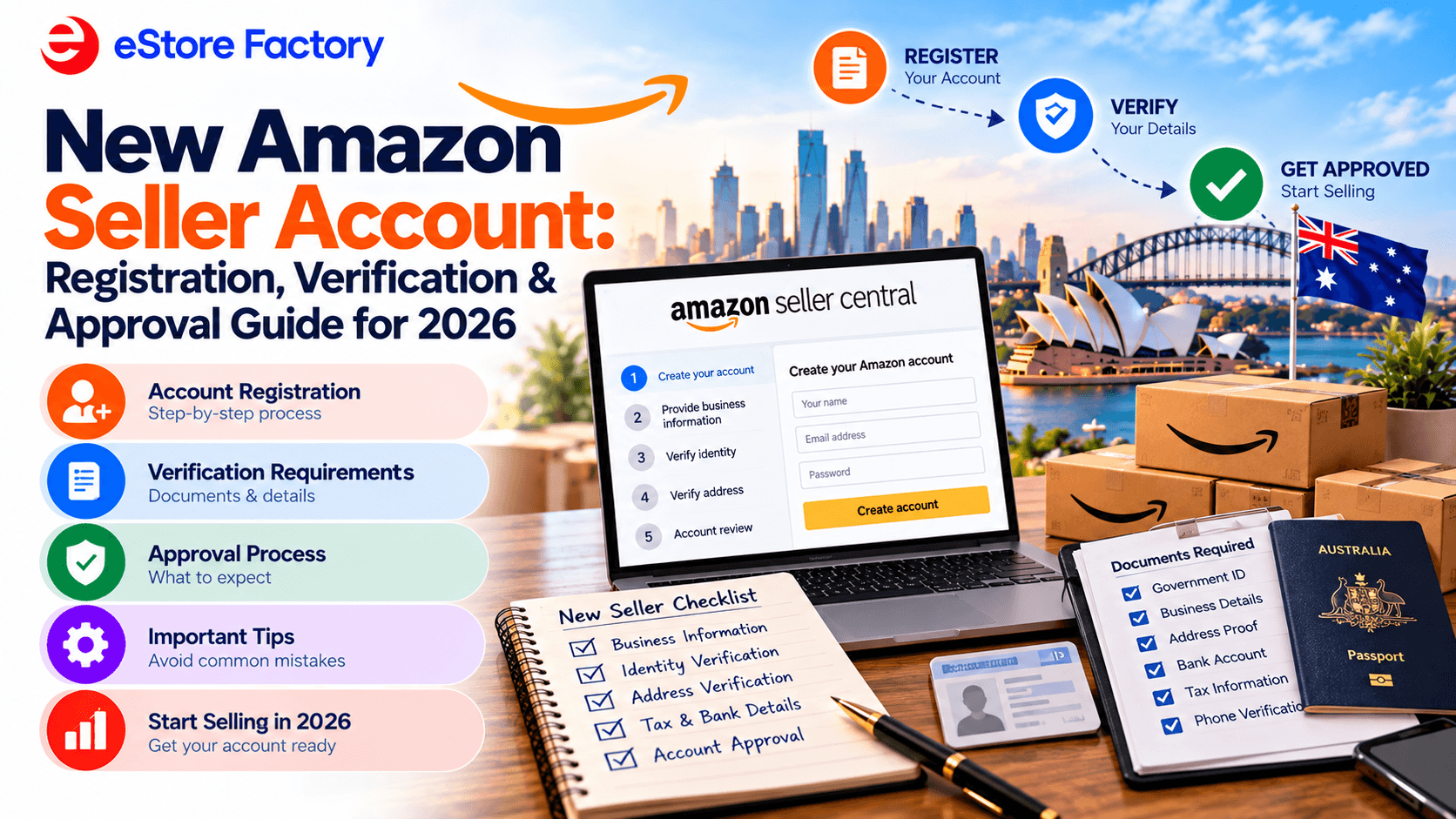
New Amazon Seller Account: Registration, Verification & Approval Guide for 2026
New Amazon Seller Account: Registration, Verification & Approval Guide for 2026
New Amazon Seller Account: Registration, Verification & Approval Guide for 2026
TL;DR
A new Amazon seller account typically takes 24 hours to 2 weeks to verify, depending on document quality and how well your details match across the board.
Amazon seller account requirements include a government-issued ID, proof of address, bank details, and an ABN if you're registering as a business.
Choosing between the Individual and Professional plan is one of your first real decisions Amazon Individual vs Professional seller account isn't just about price, it affects what tools you can access from day one.
Blurry scans, mismatched names, PO Box addresses, and overseas business details are the most common reasons Amazon seller account verification stalls.
If your new Amazon seller account gets stuck, checking Seller Central for flagged issues and resubmitting corrected documents is usually the fastest fix.
Setting up a new Amazon seller account feels straightforward right up until you hit the verification step and that's where a lot of sellers get stuck longer than they expected. This guide walks through the full amazon seller account registration process, the documents needed for Amazon seller account approval, and what to do if your application stalls partway through. If you only take one thing from this guide, let it be this: getting the documents needed for Amazon seller account verification right the first time saves you far more time than any workaround after the fact.
What Is Amazon Seller Account Verification?
Amazon seller account verification is the process Amazon uses to confirm your identity and business legitimacy before letting you sell on the platform. It exists to protect buyers and make sure only genuine, compliant sellers operate in the marketplace which is also why it's one of the more rigid Amazon seller account requirements new sellers run into.
When you register a new Amazon seller account on Amazon Australia, you'll be asked to submit several documents for review. These usually include a government-issued photo ID (passport or driver's licence), a recent bank statement or credit card statement, and proof of your residential or business address. If you're registering as a business, you'll also need to provide your Australian Business Number (ABN) and GST registration details where applicable.
The information across every document needs to match exactly. A mismatch even something as small as a missing middle name can trigger a delay. Your new Amazon seller account won't go live and you can't list products until this step is fully approved.
Step-by-Step Guide to Amazon Seller Account Registration
Here's the practical sequence for setting up a new Amazon seller account from scratch.
Go to the official registration page. Visit sell.amazon.com.au and click "Sign Up." You'll need a valid email address or existing Amazon account to begin.
Choose your business type. You can register as an individual, sole trader, company, or partnership Amazon will request different documents depending on which you pick.
Select your selling plan. This is where the Amazon Individual vs Professional seller account decision comes in (more detail below).
Upload your verification documents. ID, proof of address, bank details, and business registration information if applicable.
Verify your phone number and email. Use a local Australian mobile number and an email address you check regularly this step trips up more sellers than people expect.
Submit for review and wait for approval. Amazon confirms your details against government databases before your new Amazon seller account is activated.
If you'd rather have this handled properly the first time, our Amazon account setup service manages the full registration and verification process for you.
Amazon Individual vs Professional Seller Account: Which Should You Choose?
This is one of the first real decisions in the amazon seller account registration flow, and it's not just about upfront cost.
Plan | Cost | Best suited to |
Individual | $0.99 AUD per item sold, no monthly fee | Testing the market, very low sales volume |
Professional | $49.95 AUD per month, no per-item fee | Sellers expecting more than ~50 sales a month, or who want access to bulk listing tools, advertising, and FBA |
If you're planning to sell more than around 50 items a month, the Professional plan works out cheaper and unlocks the tools most serious sellers need. The Amazon Individual vs Professional seller account choice can also be changed later, but it's worth deciding intentionally rather than defaulting to Individual just because it looks free upfront.
Documents Needed for Amazon Seller Account Registration
Getting your documents right the first time is the single biggest lever for a smooth new Amazon seller account approval. Here's the full list of documents needed for Amazon seller account verification:
Document type | What Amazon accepts | Common mistakes to avoid |
Identity verification | Passport or Australian driver's licence | Expired ID, blurry scan, name doesn't match account |
Address verification | Recent utility bill or bank statement | PO Box address, handwritten notes, missing full name |
Bank/financial details | Bank account or credit card statement | Statement doesn't match registered business name |
Business registration | Australian Business Number (ABN) | Overseas entity used instead of a local ABN |
GST details (if applicable) | Active GST registration matching account info |
You can verify your ABN status directly through the Australian Government's ABN Lookup tool, and check your GST obligations on the Australian Taxation Office's GST registration page before you submit mismatches between what you declare and what's on record are a common cause of delay.
Amazon Seller Account Requirements Checklist
Beyond documents, there are a few broader amazon seller account requirements worth confirming before you start:
A valid Australian address (not a PO Box) if you're registering as an Australian-based seller
A local Australian phone number tied to a real carrier, not a VoIP or virtual number
A professional email address you check regularly, with Amazon's emails not filtered to spam
An ABN if you're registering as a business (sole trader, company, or partnership)
GST registration if your turnover is expected to exceed $75,000 AUD in a rolling 12-month period
We've covered the GST and ABN side of this in more detail in Amazon Australia GST and ABN mistakes to avoid, which is worth a read before you submit if you're at all unsure about your business structure.
Want your account set up right the first time?
A new Amazon seller account that gets flagged for mismatched documents can cost you weeks. Our team handles registration and verification end to end, so you're not troubleshooting Seller Support on your own.
Book a free consultation with an Amazon consultant →
Common Amazon Seller Account Approval Issues & How to Avoid Them
Most delays with a new Amazon seller account trace back to one of three things.
Incomplete or unclear documentation. Blurry images, cropped edges, or outdated documents are the single most common cause of delay. If your ID shows a middle name your account doesn't include, or your utility bill has handwritten notes on it, expect a flag. Submit high-quality, full-page documents and double-check every detail matches your account exactly.
Using an overseas business entity or address. Amazon does allow international sellers, but a non-Australian address or company structure triggers extra checks, since Amazon's systems try to match your details against local government databases like the Australian Business Register. For faster processing, register with an Australian address and a valid ABN wherever that's genuinely your situation.
Phone or email verification issues. Virtual numbers, VoIP lines, or numbers not tied to a local Australian carrier can fail Amazon's automated checks and trigger a manual review. Similarly, if your email filters Amazon's messages to spam, you can miss a verification link entirely and stall your own application without realising it.
How to Speed Up Your Amazon AU Seller Verification
A few habits make a real difference to how fast your new Amazon seller account clears review:
Prepare clean documents. Clear, high-resolution scans or photos, no cut-off edges or shadows, in JPG, PNG, or PDF format.
Match every detail exactly. The name on your ID should match your Amazon account and any bank documents word for word.
Use official government-issued documents. A valid driver's licence or passport for ID, a proper utility bill or bank statement for address avoid nicknames, initials, or PO Boxes.
Cross-check your business details. Confirm your ABN through ABN Lookup and make sure your GST status is active and consistent with what you've declared to Amazon.
These checks take a few extra minutes upfront but can save days or weeks of back-and-forth with Seller Support later.
What to Do If Your Amazon Seller Account Is Stuck?
If your new Amazon seller account is stuck in verification, you're far from the only one but there's a clear process to work through it.
Log into Seller Central and check for alerts. Amazon usually flags exactly what's missing or unclear rather than leaving you guessing.
Resubmit corrected documents carefully. Make sure files are clear, unedited, and every detail matches your account.
Contact Amazon Seller Support directly if there's no movement after a few days. From your dashboard: Help > Get Support > Selling on Amazon > Your Account > Account Verification. You can find the official process on Amazon Seller Central's help pages if you want to confirm current steps.
If denied, review the rejection reason before reapplying. Fix the specific issue rather than resubmitting the same documents and hoping for a different outcome.
If you're not making progress on your own, working with an experienced Amazon consultant can shortcut a lot of the back-and-forth, since they've usually seen the exact rejection reason before and know what Amazon actually wants to see.
Still stuck, or want to avoid the wait altogether?
Getting your new Amazon seller account approved smoothly the first time saves weeks compared to fixing a rejected application. Whether you're just starting registration or already stuck in review, our team can take it from here.
Get in touch with eStore Factory → | Or explore our full Amazon account setup services →
Frequently Asked Questions
1. How long does a new Amazon seller account take to get verified?
Amazon AU seller verification typically takes anywhere from 24 hours to 2 weeks. The biggest factor is document quality . Matching documents tend to clear reviews fastest.
2. What documents are needed for Amazon seller account approval?
The documents needed for Amazon seller account approval are a government-issued photo ID, proof of address (a utility bill or bank statement), bank or credit card details, and an ABN if you're registering as a business. GST details are also required if applicable.
3. Should I choose Individual or Professional for my new Amazon seller account?
It depends on volume. The Amazon Individual vs Professional seller account choice usually favours Individual if you're testing the market at low volume, and Professional once you expect to sell more than around 50 items a month, since it removes the per-item fee and unlocks more tools.
4. What are the main Amazon seller account requirements for Australian sellers?
A valid Australian address, a local phone number, a monitored email address, and an ABN if you're registering as a business. GST registration is also required once your turnover is expected to pass $75,000 AUD in a 12-month period.
5. Why is my Amazon seller account verification stuck with no updates?
Usually it's a document mismatch, an unclear scan, or a flagged phone/email verification issue. Check Seller Central for specific alerts first, and if there's no progress after a few days, contact Seller Support directly with corrected documents.
TL;DR
A new Amazon seller account typically takes 24 hours to 2 weeks to verify, depending on document quality and how well your details match across the board.
Amazon seller account requirements include a government-issued ID, proof of address, bank details, and an ABN if you're registering as a business.
Choosing between the Individual and Professional plan is one of your first real decisions Amazon Individual vs Professional seller account isn't just about price, it affects what tools you can access from day one.
Blurry scans, mismatched names, PO Box addresses, and overseas business details are the most common reasons Amazon seller account verification stalls.
If your new Amazon seller account gets stuck, checking Seller Central for flagged issues and resubmitting corrected documents is usually the fastest fix.
Setting up a new Amazon seller account feels straightforward right up until you hit the verification step and that's where a lot of sellers get stuck longer than they expected. This guide walks through the full amazon seller account registration process, the documents needed for Amazon seller account approval, and what to do if your application stalls partway through. If you only take one thing from this guide, let it be this: getting the documents needed for Amazon seller account verification right the first time saves you far more time than any workaround after the fact.
What Is Amazon Seller Account Verification?
Amazon seller account verification is the process Amazon uses to confirm your identity and business legitimacy before letting you sell on the platform. It exists to protect buyers and make sure only genuine, compliant sellers operate in the marketplace which is also why it's one of the more rigid Amazon seller account requirements new sellers run into.
When you register a new Amazon seller account on Amazon Australia, you'll be asked to submit several documents for review. These usually include a government-issued photo ID (passport or driver's licence), a recent bank statement or credit card statement, and proof of your residential or business address. If you're registering as a business, you'll also need to provide your Australian Business Number (ABN) and GST registration details where applicable.
The information across every document needs to match exactly. A mismatch even something as small as a missing middle name can trigger a delay. Your new Amazon seller account won't go live and you can't list products until this step is fully approved.
Step-by-Step Guide to Amazon Seller Account Registration
Here's the practical sequence for setting up a new Amazon seller account from scratch.
Go to the official registration page. Visit sell.amazon.com.au and click "Sign Up." You'll need a valid email address or existing Amazon account to begin.
Choose your business type. You can register as an individual, sole trader, company, or partnership Amazon will request different documents depending on which you pick.
Select your selling plan. This is where the Amazon Individual vs Professional seller account decision comes in (more detail below).
Upload your verification documents. ID, proof of address, bank details, and business registration information if applicable.
Verify your phone number and email. Use a local Australian mobile number and an email address you check regularly this step trips up more sellers than people expect.
Submit for review and wait for approval. Amazon confirms your details against government databases before your new Amazon seller account is activated.
If you'd rather have this handled properly the first time, our Amazon account setup service manages the full registration and verification process for you.
Amazon Individual vs Professional Seller Account: Which Should You Choose?
This is one of the first real decisions in the amazon seller account registration flow, and it's not just about upfront cost.
Plan | Cost | Best suited to |
Individual | $0.99 AUD per item sold, no monthly fee | Testing the market, very low sales volume |
Professional | $49.95 AUD per month, no per-item fee | Sellers expecting more than ~50 sales a month, or who want access to bulk listing tools, advertising, and FBA |
If you're planning to sell more than around 50 items a month, the Professional plan works out cheaper and unlocks the tools most serious sellers need. The Amazon Individual vs Professional seller account choice can also be changed later, but it's worth deciding intentionally rather than defaulting to Individual just because it looks free upfront.
Documents Needed for Amazon Seller Account Registration
Getting your documents right the first time is the single biggest lever for a smooth new Amazon seller account approval. Here's the full list of documents needed for Amazon seller account verification:
Document type | What Amazon accepts | Common mistakes to avoid |
Identity verification | Passport or Australian driver's licence | Expired ID, blurry scan, name doesn't match account |
Address verification | Recent utility bill or bank statement | PO Box address, handwritten notes, missing full name |
Bank/financial details | Bank account or credit card statement | Statement doesn't match registered business name |
Business registration | Australian Business Number (ABN) | Overseas entity used instead of a local ABN |
GST details (if applicable) | Active GST registration matching account info |
You can verify your ABN status directly through the Australian Government's ABN Lookup tool, and check your GST obligations on the Australian Taxation Office's GST registration page before you submit mismatches between what you declare and what's on record are a common cause of delay.
Amazon Seller Account Requirements Checklist
Beyond documents, there are a few broader amazon seller account requirements worth confirming before you start:
A valid Australian address (not a PO Box) if you're registering as an Australian-based seller
A local Australian phone number tied to a real carrier, not a VoIP or virtual number
A professional email address you check regularly, with Amazon's emails not filtered to spam
An ABN if you're registering as a business (sole trader, company, or partnership)
GST registration if your turnover is expected to exceed $75,000 AUD in a rolling 12-month period
We've covered the GST and ABN side of this in more detail in Amazon Australia GST and ABN mistakes to avoid, which is worth a read before you submit if you're at all unsure about your business structure.
Want your account set up right the first time?
A new Amazon seller account that gets flagged for mismatched documents can cost you weeks. Our team handles registration and verification end to end, so you're not troubleshooting Seller Support on your own.
Book a free consultation with an Amazon consultant →
Common Amazon Seller Account Approval Issues & How to Avoid Them
Most delays with a new Amazon seller account trace back to one of three things.
Incomplete or unclear documentation. Blurry images, cropped edges, or outdated documents are the single most common cause of delay. If your ID shows a middle name your account doesn't include, or your utility bill has handwritten notes on it, expect a flag. Submit high-quality, full-page documents and double-check every detail matches your account exactly.
Using an overseas business entity or address. Amazon does allow international sellers, but a non-Australian address or company structure triggers extra checks, since Amazon's systems try to match your details against local government databases like the Australian Business Register. For faster processing, register with an Australian address and a valid ABN wherever that's genuinely your situation.
Phone or email verification issues. Virtual numbers, VoIP lines, or numbers not tied to a local Australian carrier can fail Amazon's automated checks and trigger a manual review. Similarly, if your email filters Amazon's messages to spam, you can miss a verification link entirely and stall your own application without realising it.
How to Speed Up Your Amazon AU Seller Verification
A few habits make a real difference to how fast your new Amazon seller account clears review:
Prepare clean documents. Clear, high-resolution scans or photos, no cut-off edges or shadows, in JPG, PNG, or PDF format.
Match every detail exactly. The name on your ID should match your Amazon account and any bank documents word for word.
Use official government-issued documents. A valid driver's licence or passport for ID, a proper utility bill or bank statement for address avoid nicknames, initials, or PO Boxes.
Cross-check your business details. Confirm your ABN through ABN Lookup and make sure your GST status is active and consistent with what you've declared to Amazon.
These checks take a few extra minutes upfront but can save days or weeks of back-and-forth with Seller Support later.
What to Do If Your Amazon Seller Account Is Stuck?
If your new Amazon seller account is stuck in verification, you're far from the only one but there's a clear process to work through it.
Log into Seller Central and check for alerts. Amazon usually flags exactly what's missing or unclear rather than leaving you guessing.
Resubmit corrected documents carefully. Make sure files are clear, unedited, and every detail matches your account.
Contact Amazon Seller Support directly if there's no movement after a few days. From your dashboard: Help > Get Support > Selling on Amazon > Your Account > Account Verification. You can find the official process on Amazon Seller Central's help pages if you want to confirm current steps.
If denied, review the rejection reason before reapplying. Fix the specific issue rather than resubmitting the same documents and hoping for a different outcome.
If you're not making progress on your own, working with an experienced Amazon consultant can shortcut a lot of the back-and-forth, since they've usually seen the exact rejection reason before and know what Amazon actually wants to see.
Still stuck, or want to avoid the wait altogether?
Getting your new Amazon seller account approved smoothly the first time saves weeks compared to fixing a rejected application. Whether you're just starting registration or already stuck in review, our team can take it from here.
Get in touch with eStore Factory → | Or explore our full Amazon account setup services →
Frequently Asked Questions
1. How long does a new Amazon seller account take to get verified?
Amazon AU seller verification typically takes anywhere from 24 hours to 2 weeks. The biggest factor is document quality . Matching documents tend to clear reviews fastest.
2. What documents are needed for Amazon seller account approval?
The documents needed for Amazon seller account approval are a government-issued photo ID, proof of address (a utility bill or bank statement), bank or credit card details, and an ABN if you're registering as a business. GST details are also required if applicable.
3. Should I choose Individual or Professional for my new Amazon seller account?
It depends on volume. The Amazon Individual vs Professional seller account choice usually favours Individual if you're testing the market at low volume, and Professional once you expect to sell more than around 50 items a month, since it removes the per-item fee and unlocks more tools.
4. What are the main Amazon seller account requirements for Australian sellers?
A valid Australian address, a local phone number, a monitored email address, and an ABN if you're registering as a business. GST registration is also required once your turnover is expected to pass $75,000 AUD in a 12-month period.
5. Why is my Amazon seller account verification stuck with no updates?
Usually it's a document mismatch, an unclear scan, or a flagged phone/email verification issue. Check Seller Central for specific alerts first, and if there's no progress after a few days, contact Seller Support directly with corrected documents.





eStore Factory is a full-service Amazon agency dedicated to building end-to-end strategies for brands of all sizes.


ACCOUNT LAUNCH
OTHERS
© Copyright 2014 - 2026. All Rights Reserved.
eStore Factory is a full-service Amazon agency dedicated to building end-to-end strategies for brands of all sizes.
ACCOUNT LAUNCH
OTHERS
© Copyright 2014 - 2026. All Rights Reserved.
eStore Factory is a full-service Amazon agency dedicated to building end-to-end strategies for brands of all sizes.
ACCOUNT LAUNCH
OTHERS
© Copyright 2014 - 2026. All Rights Reserved.